
Workday Integration
Incode–Workday Integration Architecture & Functional Overview
Incode’s Identity Verification (IDV) integration with Workday provides organizations with a secure, automated, and fully digital approach to validating candidate identities during the hiring process. By leveraging facial biometrics, document authentication, and fraud detection, Incode ensures that every individual progressing through the recruitment pipeline has been accurately and confidently verified, with minimal friction to the candidate experience.
Workday Studio Integration Overview
Incode provides a pre-built Workday Studio integration package that enables seamless communication between Workday and the Incode Identity Verification platform. This integration is delivered as a configurable set of three independent Studio integrations, each addressing a specific part of the candidate verification and onboarding lifecycle:
eKYC Integration (INT00N_eKYC_Candidates_Incode)
Automates the transfer of candidate data from Workday to Incode for electronic Know Your Customer (eKYC) checks. This integration securely sends candidate identification details to Incode’s verification API and updates Workday with verification results and risk classifications.
IDV Integration (INT00N_IDV_Candidates_Incode)
Retrieves biometric and document verification results from Incode and writes them back into Workday.
This step ensures candidates meet identity assurance and compliance standards through facial match scores, document authenticity checks, and fraud detection signals.
Email Delivery Integration (INT00N_Onboarding_Email_Incode)
Automates the distribution of personalized onboarding URLs and verification links to candidates using Workday’s notification framework. It reduces manual communication steps and ensures timely initiation of verification and onboarding.
Each integration is delivered as a Workday Studio project file ready for deployment, giving developers and Workday administrators full control over configuration, authentication, and process placement (e.g., Assessment, Offer, Hire, or Pre-Hire stages).
Additionally, the integrations are modular in nature. You are not required to use both eKYC and IDV in tandem as they have no dependency from one another.
1. INT00N_eKYC_Candidates_Incode
The INT00N_eKYC_Candidates_Incode integration facilitates automated electronic Know Your Customer (eKYC) verification by transmitting candidate profile information from Workday to Incode. This step enhances the organization’s compliance posture and reduces manual identity validation efforts.
Operational flow:
- Extracts candidate demographic and identification attributes from Workday.
- Sends the data securely to Incode’s verification API.
- Retrieves response payloads containing risk-level classification, verification statuses, and supporting metadata.
- Updates the candidate’s Incode Details tab in Workday using a purpose-built custom object.
Placement within process:
This integration can be strategically positioned at key recruitment milestones—Assessment, Background Check, Offer, or Pre-Hire—to align with organizational risk controls and hiring workflows.
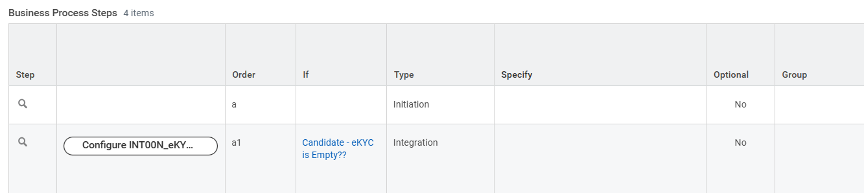
Figure 1.1: Configure the Business Process Step
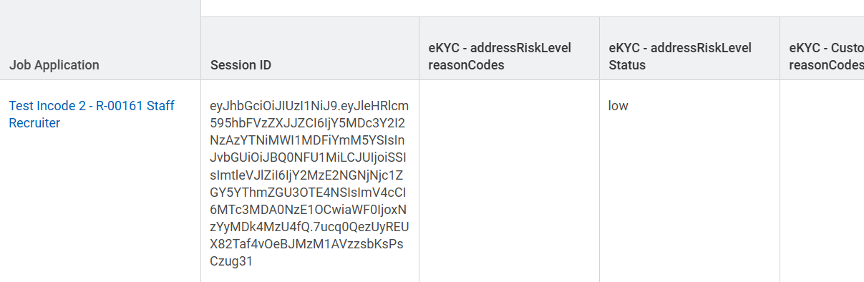
Figure 1.2: Receive the eKYC score response from Incode into Workday
2. INT00N_Onboarding_Email_Incode
The INT00N_Onboarding_Email_Incode integration is designed to automate the distribution of onboarding URLs generated by Incode. The goal is to ensure a seamless candidate onboarding experience while minimizing delays and administrative overhead.
Key operational features:
- Automated dispatch of individualized onboarding URLs to candidates.
- Integration with Workday notification framework, enabling customizable email templates.
- Flexible placement within hiring business processes (Assessment, Background Check, Offer, or Hire).
- Ensures timely initiation of identity verification and onboarding activities.
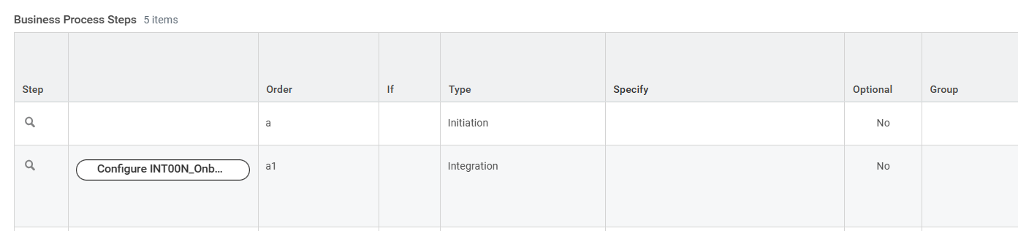
Figure 2.1: Configure the Business Process Step
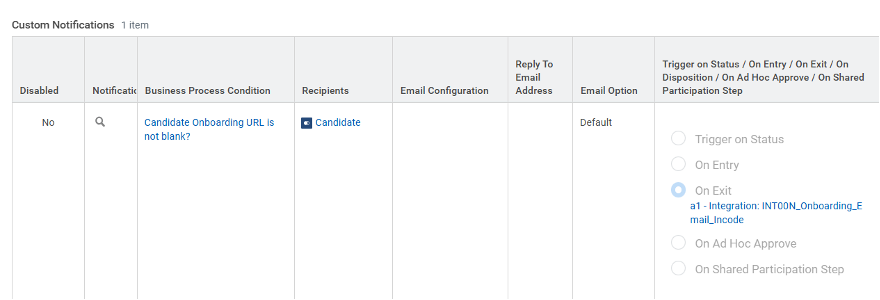
Figure 2.2: Define the Business Process Condition
2.1 Onboarding Notification Template
The notification template empowers HR and Talent Acquisition teams to deliver concise and candidate-friendly instructions.
Capabilities include:
- Personalization of message content.
- Incorporation of dynamic fields.
- Embedding of the onboarding URL.
- Alignment with organizational branding and communication standards.
You can use your defined “Custom BP Notification Template” to share notifications aligned with your company communication standards.
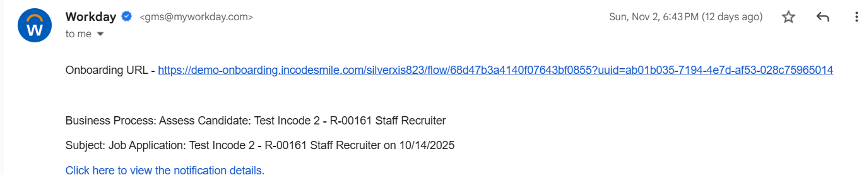
Figure 2.3: Email delivery of the Onboarding URL for Identity Verification
3. INT00N_IDV_Candidates_Incode
The INT00N_IDV_Candidates_Incode integration supports advanced Identity Verification (IDV) by retrieving biometric and document authentication results from Incode.
This ensures candidates meet the organization’s identity assurance and regulatory compliance requirements.
Operational components:
- Scheduled retrieval of IDV results (hourly, daily, etc.).
- Querying of open candidate sessions where document and biometric submissions occur.
- Extraction of verification attributes such as:
- Document authenticity validations
- Biometric (facial match) scores
- Fraud-related indicators
- Session timestamps and metadata
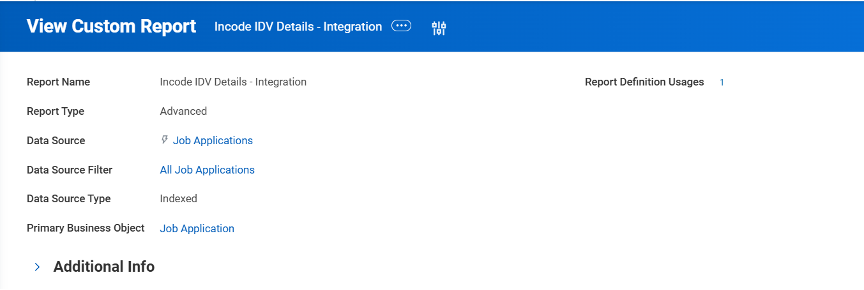
Figure 3.1: Custom Report for the IDV Integration
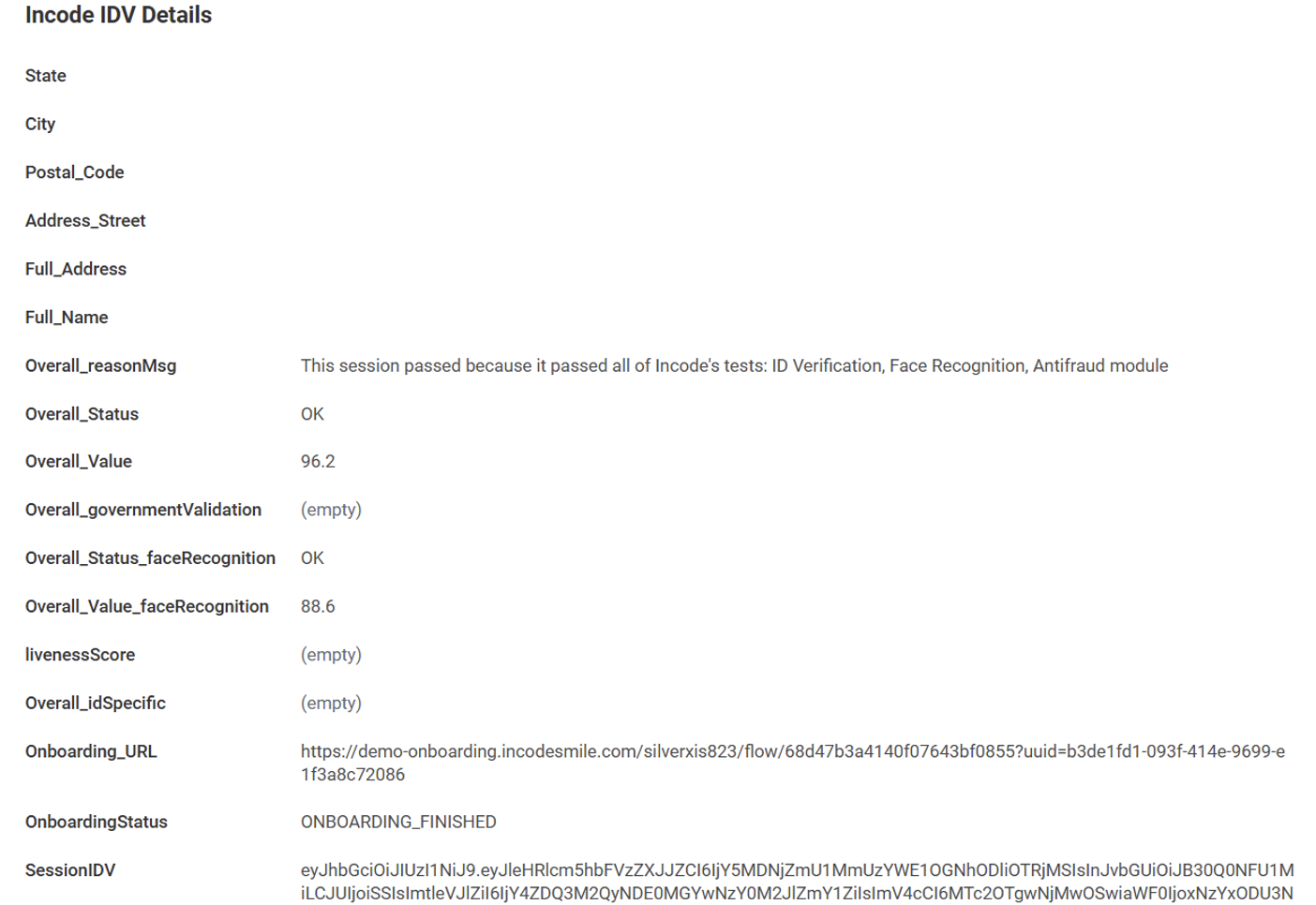
Figure 3.2: Identity verification details viewable in the Workday Candidate Profile
4. Custom Object: eKYC Details
The eKYC custom object is designed to structurally store identity verification data returned from Incode’s eKYC process.
It maintains:
- Verification outcomes
- Risk categorization details
- Identity validation notes
- Incode session references
Use cases:
Supports downstream consumption in reports, dashboards, audits, and compliance checks.
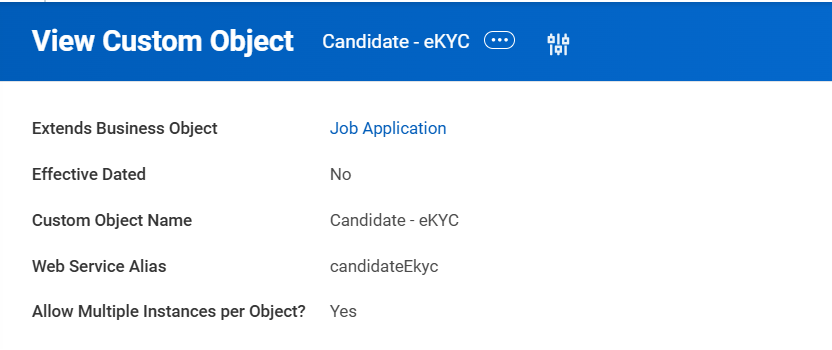
Figure 4.1: Custom Object for the eKYC details
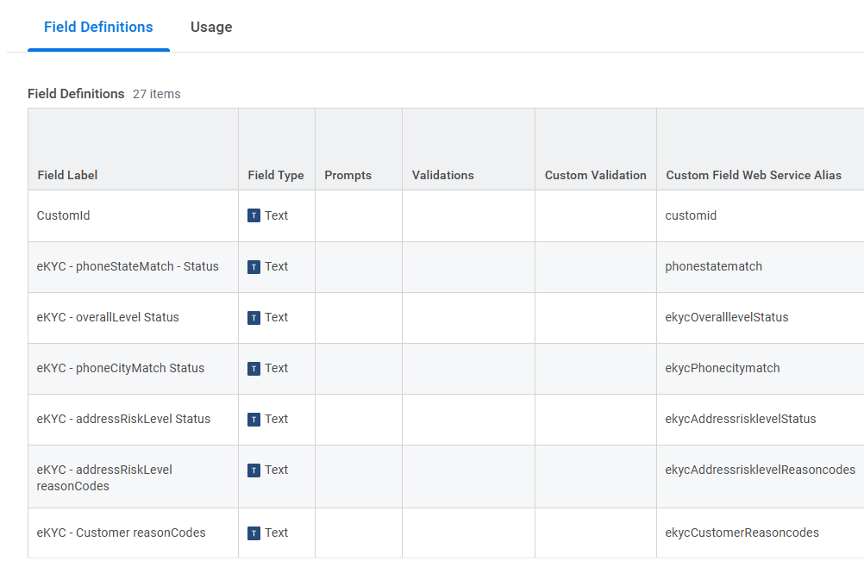
Figure 4.2: Custom Object Fields for eKYC Details
5. Custom Object: IDV Details
The IDV custom object captures detailed document verification and biometric identity assessment results.
It includes:
- Document inspection outcomes (authenticity, tampering indicators)
- Biometric comparison metrics (face match scores, liveness checks)
- Risk indicators derived from Incode’s scoring engine
- Reference keys for reconciliation and traceability
By separating IDV and eKYC data structures, the design ensures clarity, modularity, and simplified integration upgrades.
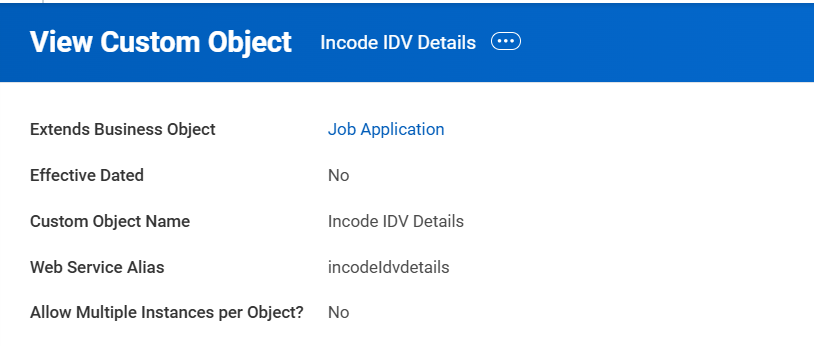
Figure 5.1: Custom Object for the IDV Details
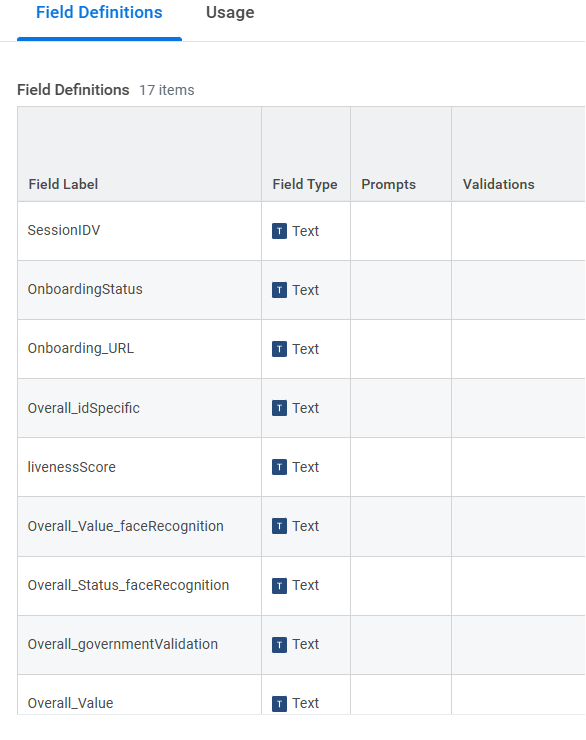
Figure 5.2: Custom Object Fields for the IDV Details
6. Architecture Overview
The integration architecture adheres to Workday’s recommended design principles for secure, scalable, and maintainable external system integrations.
Integration pattern:
Workday → Workday Studio → Incode REST APIs → Workday Studio → Workday Custom Objects
Security and reliability measures:
- All data exchanged between Workday and Incode is encrypted over HTTPS.
- Authentication is managed via API keys stored securely in Workday’s Integration System Credentials.
- Logging, retries, and exception tracing are implemented within the Studio integrations to ensure operational reliability.
7. Conclusion
The Incode plus Workday integration suite delivers a comprehensive identity verification and onboarding automation capability that:
- Enhances compliance adherence
- Reduces manual processing efforts
- Improves the overall hiring experience
By leveraging secure APIs, reusable custom objects, and configurable Studio integrations, this solution provides long-term scalability and operational efficiency for organizations adopting Incode as their identity verification provider.
Updated 11 months ago